

Finding the right therapy scheduling software for your private practice is one of the most important decisions you will make this year. Mental health professionals need tools that protect patient privacy while making the booking process incredibly easy.
Research published in Health Affairs Scholar shows that over 1 billion outpatient visits occur annually in the U.S., each requiring appointment scheduling, making scheduling systems a critical part of care access and clinic efficiency.
This guide covers the top options available today and shows you exactly what features you need to look for to run a highly efficient clinic.
TL;DR: The Quick Summary
- Give your patients an easy way to book sessions online at any hour of the day.
- Based on current clinical needs, the top three tools are OnceHub, SimplePractice, and TherapyNotes.
- Strict HIPAA compliance is the absolute non-negotiable baseline for any mental health scheduling software you evaluate.
- Automated booking completely removes the burden of playing phone tag and directly reduces missed appointments.
Why Do Therapists Need Specialized Scheduling Software
Therapists need specialized scheduling software to eliminate the administrative burden of manual booking, reduce missed appointments through automated reminders, and ensure that all patient data remains strictly HIPAA-compliant.
According to Tebras 2026 physician burnout report, therapists experience the highest rate of mental fatigue across all medical specialties, hitting a staggering 77%. The data clearly shows that bureaucratic tasks and administrative documentation are primary drivers of this exhaustion.
Manual booking processes also cause significant revenue leaks. Recent behavioral health data from Curogram reveals that mental health appointment no-shows run between 18 to 25%, which is roughly double the rate seen in primary care. When an anxious patient forgets to call the front desk to confirm a time, that empty slot means lost income and stalled clinical progress.
Upgrading to a specialized therapist scheduling software solves this exact problem. By sending automated email reminders and allowing patients to book securely online, you protect your valuable time and prevent these costly scheduling gaps.
You may be interested to know more about - How to Turn Every Missed Call into a Confirmed Booking
What Features Are Essential for Therapy Scheduling Software?
The most essential features for therapy scheduling software include frictionless online booking, automated text reminders, smart meeting distribution, calendar buffer times, secure intake forms, and strict HIPAA compliance.
1. The Patient Experience
A complicated booking process creates unnecessary anxiety for new patients. Your software must make the experience completely effortless.
- Frictionless Booking: Patients should be able to view your availability and select a time without creating a complicated user account.
- Automated Notifications: Sending automated text and email reminders is the best way to protect your schedule.
2. Internal Coordination (Meeting Distribution)
If you manage a clinic with multiple providers, your software must handle the logistics of matching patients to the right staff member.
- Smart Routing: The system should automatically direct a new patient to the correct psychologist based on their specific clinical specialty.
- Workload Balance: You need tools that distribute new appointments evenly across your team based on live availability. You can learn exactly how this works in our guide to automated meeting distribution.
3. Being in Control
You cannot treat patients back-to-back all day without sacrificing your own mental health. Your software must protect your personal boundaries.
- Buffer Times: Set mandatory calendar gaps between sessions, so you always have time to write your clinical notes and recharge. You can easily set up buffer times to protect your daily schedule.
- Daily Limits: Cap the total number of sessions you accept per day to prevent clinical burnout.
- VIP Access: Create private booking links for crisis clients who need immediate priority access to your calendar.
4. Build Context with AI Routing Forms and Chatbots
Gathering patient information before the first session saves you valuable clinical time.
- Secure Intake: Use HIPAA-compliant routing forms to collect essential patient history before they ever step into your office.
- Smart Triage: Ask preliminary questions to ensure the patient is a good clinical fit for your practice before they secure a time slot on your calendar.
5. Smooth Integrations (Workspace and Workflow)
A standalone calendar is not enough to run a modern therapy practice. Your scheduling system needs to function as part of a larger operational workflow and communicate perfectly with the specific third-party tools you already use to run your clinic daily.
- Electronic Records and Billing: Your scheduling tool should connect easily to your existing medical records software and payment processors like Stripe or PayPal to handle session copays automatically.
- Telehealth Connections: The software must automatically generate and send secure video links for virtual therapy sessions so you never have to copy and paste meeting URLs again.
- The OnceHub Example: OnceHub integrates directly with platforms like Zoom, Microsoft Teams, and Google Workspace. When a patient books a virtual session, OnceHub instantly generates a unique, secure video link and places it directly into the calendar invite for both the therapist and the patient, streamlining the entire telehealth workflow.
6. Operational Oversight (Analytics and Page Sharing)
Practice managers need visibility into how the clinic operates daily.
- Track Performance: You need clear analytics to track cancellation trends, appointment volumes, and clinic growth over time.
- Easy Sharing: You need a universal booking link that looks professional on your private website and your Psychology Today profile.
Comparing the Top 5 HIPAA-Compliant Scheduling Tools for Therapists
The top HIPAA-compliant scheduling tools for therapists in 2026 are OnceHub, SimplePractice, TherapyNotes, Jane App, and Carepatron, each offering unique strengths ranging from automated calendar syncing to full electronic health record integrations.
|
Tool Name |
Best For |
Starting Price |
HIPAA Compliant |
|
OnceHub |
Automated Booking and Calendar Sync with frictionless setup |
Starts Free |
Yes |
|
SimplePractice |
Solo Practitioners |
$49 per month |
Yes |
|
TherapyNotes |
Large Clinics |
$69 per month |
Yes |
|
Jane App |
Integrated Charting |
$54 per month |
Yes |
|
Carepatron |
Budget Conscious Practices |
Starts Free |
Yes |
Which Therapist Booking Software is Best for Your Practice?
Determining the best therapist booking software depends entirely on your specific clinical needs: OnceHub is ideal for automated scheduling and routing, SimplePractice suits solo practitioners needing full medical charting, and TherapyNotes is best for large clinics managing group sessions.
1. OnceHub
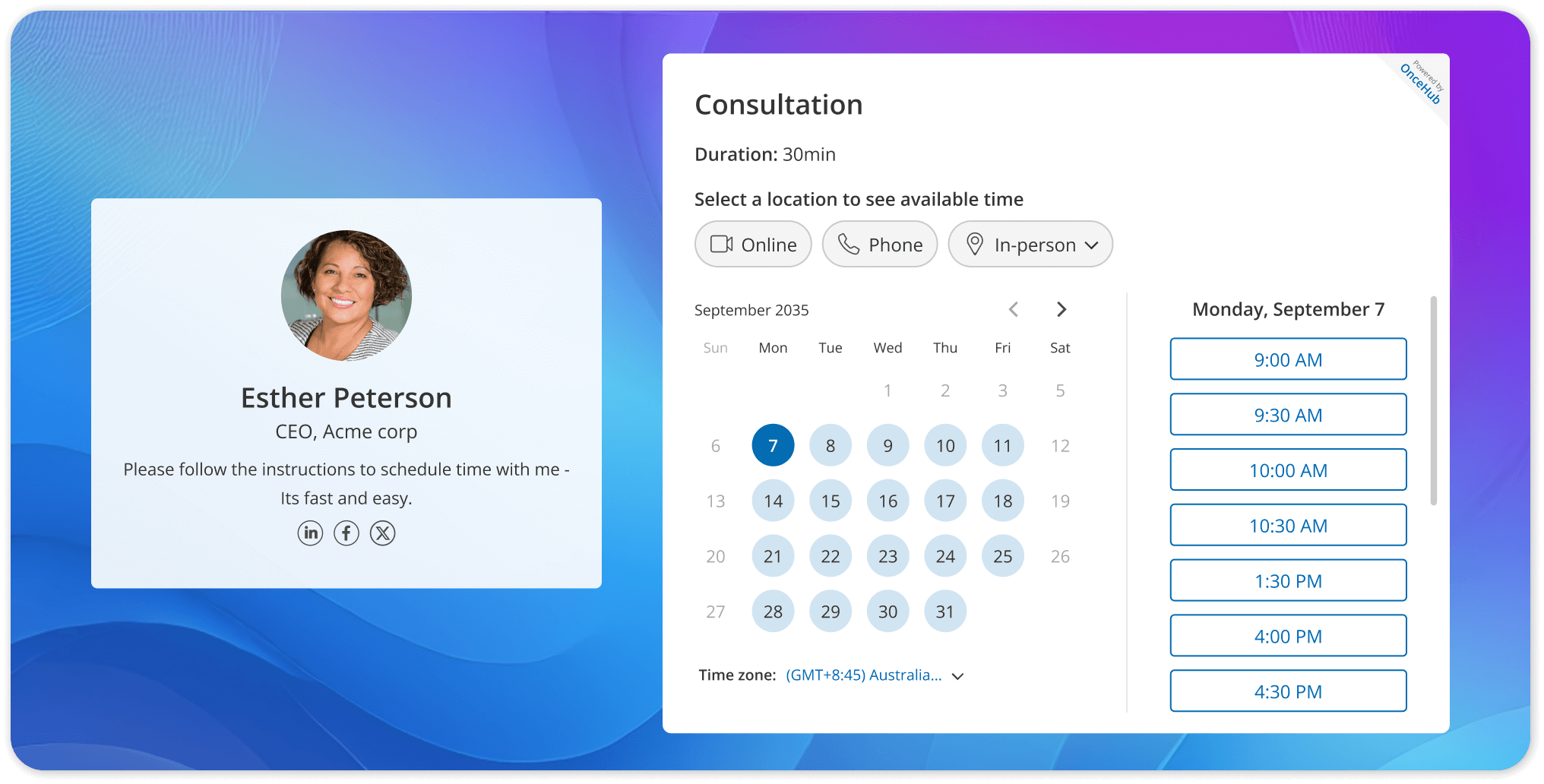
OnceHub is the best choice for clinics that want to completely automate their booking process while maintaining strict security. The platform offers a hassle-free setup that instantly connects to your live calendar and protects patient data at every step. By using intelligent meeting distribution and customizable booking pages, you allow patients to securely schedule their own sessions online at any time. To understand how easily this connects to your daily workflow, you can explore our detailed guide on secure calendar synchronization.
Features:
Use Case Example: A private clinic implemented OnceHub's double-booking and automated routing features to manage quick check-ins and follow-ups. By automatically routing urgent requests to available team members and strategically overlapping short appointments, the clinic was able to boost its daily patient count and increase revenue without needing to hire additional administrative staff.
Who is it for: Mental health clinics and healthcare providers that want to completely automate their booking process, scale their administrative operations, and maintain strict patient data security and HIPAA compliance.
2. SimplePractice
SimplePractice is widely considered the industry standard for solo practitioners who need a complete electronic health record system. It goes far beyond basic calendar management by offering detailed clinical documentation and integrated insurance billing.
However, because it is a full medical management platform, therapists who only want a simple online booking tool often find the higher price point and extensive feature set to be unnecessary for their daily operations.
Features:
- Comprehensive Electronic Health Record (EHR) system equipped with a secure client portal for online booking.
- Paperless intake forms and AutoPay billing to streamline patient onboarding and handle payments without awkward conversations.
- Integrated telehealth platform featuring a virtual whiteboard for collaborative patient exercises, such as mind mapping or coping skills worksheets.
- Built-in session timer visible on the video call to help therapists stay on track.
- AI-powered digital Note Taker designed to automatically summarize session notes while maintaining strict clinical documentation standards.
Use Case Example: Jill Shook, a speech-language pathologist, researched fifteen different EHR platforms before choosing SimplePractice. By adopting the software, she was able to successfully replace four disconnected administrative systems with one unified solution, drastically streamlining her daily workflow and client management.
Who is it for: Solo practitioners and small practices looking for an all-in-one practice management solution that handles everything from patient scheduling and telehealth to clinical documentation and insurance claims.
3. TherapyNotes
TherapyNotes is an incredibly powerful platform designed specifically for large mental health clinics. It excels at managing complex group therapy sessions and handling extensive insurance paperwork. While the billing support is excellent, the platform is known to be overly complex for a single psychologist.
Features:
- Web-based EHR and practice management system built around a seamless calendar.
- Direct, automatic connection between calendar appointments, client records, notes, and billing.
- Advanced group therapy management that allows users to schedule group sessions and automatically generates links to complete individual progress notes for each participant.
- Automated appointment reminders sent via text, phone, and email.
- Highly structured, pre-built progress note templates, including SOAP, DAP, and BIRP formats.
Use Case Example: A practitioner named Deirdre transitioned to TherapyNotes and highlighted that the platform made her practice's operational shift incredibly easy. She praised the system's unmatched customer service and noted that the developers actively listen to feedback, making daily improvements to the software to better serve clinicians.
Who is it for: Solo practitioners and small to medium-sized group practices that value highly structured clinical processes, reliable customer support, and robust tools for insurance billing and group therapy sessions.
4. Jane App
Jane App combines scheduling and clinical charting into a highly polished, modern design. This software is famous for its beautiful user interface and very easy patient portal. It is a fantastic option if aesthetics and a smooth visual experience are your absolute top priorities.
Features:
- Intuitive scheduling interface combined with flexible clinical charting tools.
- Streamlined "Day Sheet" view allowing practitioners to manage schedules, chart notes, and accept payments directly from a single screen.
- Fully HIPAA and PHIPA-compliant telehealth capabilities are included with no extra setup required.
- Customizable chart templates for a highly personalized documentation workflow.
- Integrated AI Scribe tool that securely converts speech or uploaded audio into structured clinical notes (like SOAP formats) without requiring prior training.
Use Case Example: Caitlin Cormier, a speech-language pathologist dealing with complex cases like autism and language delays, used Jane's AI Scribe to revolutionize her workflow. Previously spending 45 minutes on assessment documentation at the end of her day, the AI tool now captures accurate session details instantly. This eliminated the struggle of trying to remember morning sessions at 6:00 PM, saving her hours of administrative work.
Who is it for: Allied health professionals, wellness clinics, and therapists who prioritize a beautiful, patient-friendly online booking experience alongside highly flexible and modern charting capabilities.
5. Carepatron
Carepatron is the absolute best budget-conscious choice for newly licensed therapists. Because it offers a permanent free tier, you can start booking patients immediately without any upfront financial risk. It covers all the basic calendar needs, making it a great entry point for a brand-new clinical practice looking to grow.
Features:
- Modern practice management tool featuring an intuitive scheduling calendar and a secure client portal.
- Automated online payment processing.
- Integrated AI scribe and note-taker for rapid clinical documentation.
- Customizable therapy plans and detailed progress tracking analytics.
- Integrated, HIPAA-compliant teletherapy capabilities built directly into the system.
- Generous permanent free tier that includes unlimited clients, core scheduling, 1GB of storage, and documentation features at no cost.
Use Case Example: Sarah S., a mental health and substance use counselor, utilized Carepatron to consolidate her workload. She highlighted how the platform made it incredibly easy to add new patients, schedule virtual appointments, submit billing claims, and customize note templates using the AI feature. This all-in-one approach eliminated her need to toggle back and forth between different applications.
Who is it for: Solo clinicians, newly licensed therapists, and small private-pay practices seeking an affordable, user-friendly, and modern system to manage their workflow without paying for complex enterprise tools.
How to Choose the Right Tool for Your Practice
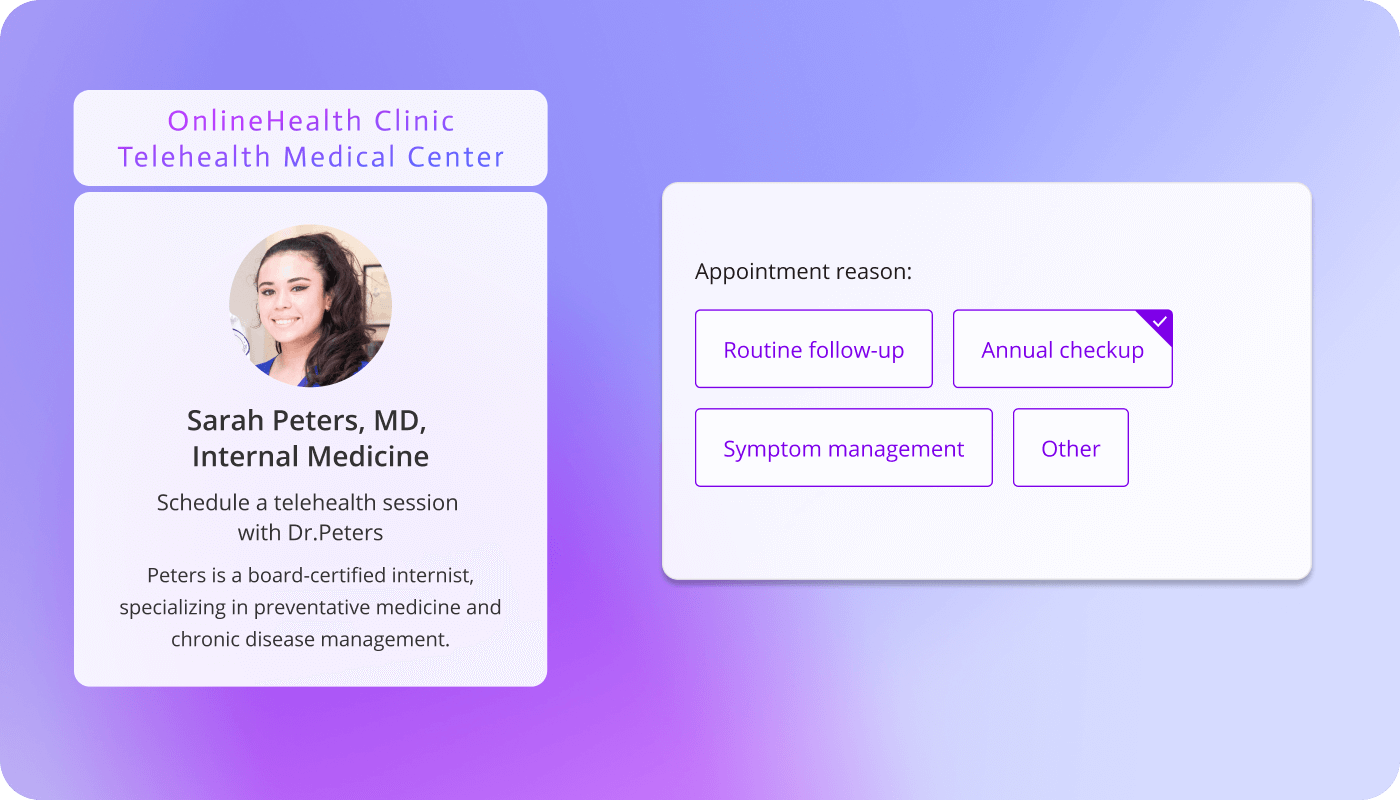
To choose the best scheduling app for your therapy clinic, you must audit your current administrative bottlenecks, assess your team size, evaluate the patient booking experience, and guarantee the software meets strict federal security standards.
- Assess your clinic size: A solo practitioner might prioritize simple calendar syncing, while a large clinic requires advanced routing rules to distribute new patients evenly across the staff.
- Audit your bottlenecks: Identify exactly where your team wastes the most time. If returning voicemails takes up your entire afternoon, prioritize tools with powerful and secure online booking links.
- Map to the guest experience: Ensure the software is incredibly easy for patients to use. You want a tool that lets them book a session smoothly without forcing them to jump through technical hoops.
- Demand strict security: Whatever platform you ultimately choose, never compromise on patient privacy. Using a non-compliant calendar tool exposes your practice to massive financial penalties under federal law. Strict HIPAA compliance must be your foundation.
The OnceHub Solution: If you need an all-in-one calendar platform that meets every single requirement on this list, OnceHub is the ideal choice. It adapts perfectly to both solo practitioners and large clinics by combining intelligent meeting distribution, an effortless patient booking experience, and strict HIPAA compliance into one unified system.
Also read: HIPAA Compliant Scheduling Software
Conclusion
Upgrading your therapy scheduling software is about much more than simply modernizing your office. It is about protecting your mental energy, reducing missed appointments, and providing a seamless experience for your patients from their very first interaction with your practice. By implementing a secure scheduling platform, you eliminate exhausting manual administrative work and ensure your daily calendar stays perfectly organized without any manual effort from your team.
Stop losing valuable clinical time to repetitive administrative tasks.
If you are ready to eliminate manual work and give your patients a highly secure booking experience, you can get started with OnceHub for free today.
Frequently Asked Questions
Is there free HIPAA-compliant scheduling software for therapists?
Yes, there is free HIPAA-compliant scheduling software for therapists available on the market today. Platforms like OnceHub and Carepatron offer generous free tiers that include secure online booking and patient portals. This allows newly licensed clinicians to manage their calendar and protect patient data without any upfront financial commitment.
What is the best online scheduling software for therapists?
The best online scheduling software for therapists depends entirely on whether you need a dedicated calendar tool or a full medical record system. For solo clinicians who need comprehensive charting, a simple practice app for clinicians like SimplePractice is highly rated. However, if your clinic needs advanced meeting distribution and secure automated booking without paying for unused medical record features, OnceHub is the top choice.
How does a therapy appointment portal app improve the patient experience?
A therapy appointment portal app improves the patient experience by allowing clients to view your live availability and securely book their own sessions at any time of day. Instead of calling the front desk during office hours, patients can use the digital portal to schedule, reschedule, or cancel appointments from their mobile devices. This effortless process reduces anxiety for the patient and saves hours of administrative work for your staff.
Does my online scheduling software need to be HIPAA compliant?
Yes, federal law requires your online scheduling software to be fully HIPAA compliant if it collects any protected health information. If your booking page asks for patient names, email addresses, or medical reasons for the visit, the platform must use end-to-end encryption to protect that sensitive data from unauthorized access.
How do automated text reminders reduce no-shows in therapy?
Automated text and email reminders reduce no-shows by prompting patients to confirm or cancel their session well in advance of the meeting time. Sending a simple digital reminder a day before the session significantly drops missed appointments. This ensures your calendar stays full and prevents lost revenue from empty time slots.
Editorial Note:
Pricing information for the products mentioned in this article is subject to change and may vary based on promotions, regional availability, or plan updates. Readers are encouraged to refer to the respective official pricing pages for the most current details.
This article is written and reviewed by the editorial team at OnceHub. As such, it includes references to OnceHub products where relevant to the topic, alongside other market solutions, with the intent of providing a structured, research-informed comparison for readers evaluating their options.
Read Next: Best Scheduling Software for Universities (2026 Guide)